Why EpiSuccess Pro 2 (ESP2) Software?
- Data collection for field epidemiology and emergency response continues to be a tedious process using paper forms and manual data entry
- Very time consuming to set up a new survey questionnaire for data entry (e.g. Epi Info™)
- Cannot reuse questions from previous surveys, or assemble questions from question "banks" or libraries
- Lack of data collection software for mobile phones / tablets that is integrated in the "workflow" and also easy to setup and use
- Need better ways to share data rapidly for surveillance -- including hierarchical reporting (e.g. local-to-county, county-to-state and state-to-national)
Goals of EpiSuccess Pro 2 (ESP2) Software
- Rapid questionnaire development, including reuse of questions
- Support for mobile devices (smart phones and tablets) for field data collection
- Support for data entry from other computers (desktop / laptop) on network
- Send and receive data for surveillance and reporting (peer-to-peer and hierarchical)
- Compatible with existing software (Epi Info™) and questionnaire exchange standard (Triple-S™)
- Use of electronic forms (Microsoft® Word® form)
- Easy creation of paper questionnaires and forms
- Data import / export and exchange with other data systems (including SAS®, SPSS® etc)
- Safeguards for data security, privacy and confidentiality
- Fit the "workflow" of field epidemiology and emergency response
- "Easy to use"
Features of EpiSuccess Pro 2 (ESP2) Software
Windows® PC Application
- Standalone .exe file requires no installation
- Can run from memory stick
- Same .exe runs on:
Windows® XP / Vista® / 7 / 8 (32 or 64 bit)
- Demo mode: 20 minutes session and demo text randomly inserted in data records
- Standard mode: After activation using Activation Code
ESP2 Datasets
- An ESP2 dataset is a folder with subfolders containing files
- Folder name is the ESP2 Dataset Name
- Data records stored in SQLite database file
- Not limited to 250 variables like Microsoft Access® mdb
- Entire dataset folder can be zipped for archive or sharing
ESP2 Questionsets
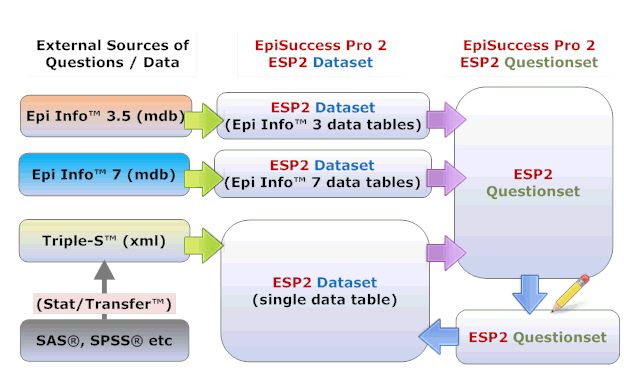
- An ESP2 questionset is a "dataset of questions"
- Create questionset from any ESP2 dataset
- Create new ESP2 dataset from questionset
- Use built-in Questionset Editor to rapidly assemble and edit questions
- Import questions from other ESP2 datasets or questionsets
- Can create customized libraries / repositories of reusable questions ("Question Banks")
Compatible with CDC Epi Info™
- Create ESP2 dataset from Epi Info™ 3.5 / 7
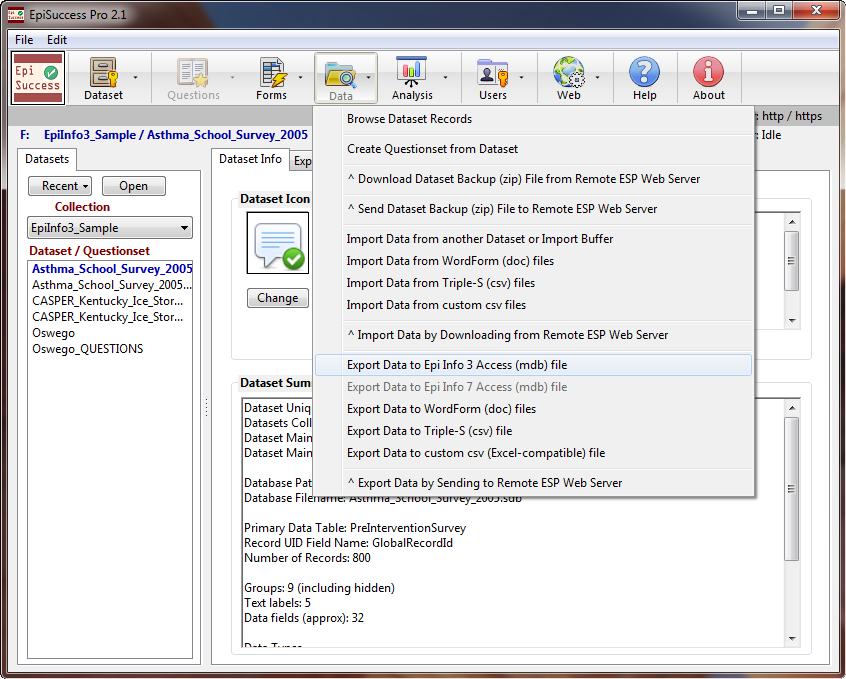
- Import data from Epi Info™ 3.5 / 7 mdb file
- Export data to Epi Info™ 3.5 / 7 mdb file
- Supports Epi Info 3.5 "wide" tables (over 250 variables)
- Does not support "Relate" or "Grid" tables (1-to-many relationship)
Exchange Questions and Data Using Triple-S™
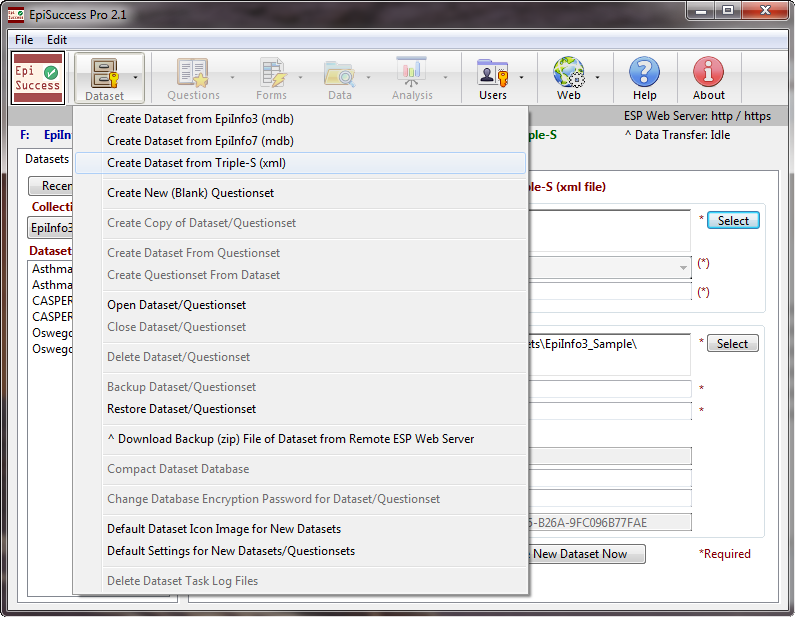
- Create ESP2 dataset from Triple-S™ xml file
- Import data from Triple-S™ csv file
- Create Triple-S™ xml file from ESP2 dataset
- Export data to Triple-S™ csv file
- Can use third party software to convert to / from SAS®, SPSS® etc. datasets using Triple-S™ and third party software such as Stat/Transfer™
Microsoft Word® Forms
- Create electronic forms in Microsoft Word®
- Export ESP2 dataset records to populate individual Word® form documents
- Import data from Word® form files to ESP2 dataset
- Edit Word forms with Word® 2000 / XP / 2007 / 2010
- Can "protect" the Word® forms and use form for entering data
- Can send Word® forms as email attachments
- Can print paper questionnaires and data forms
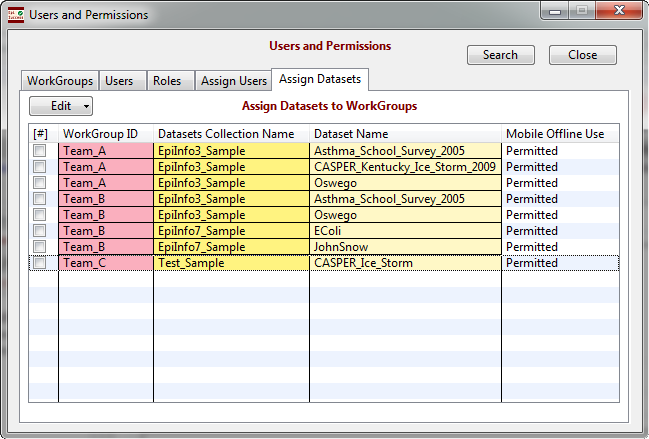
Users and Permissions (Role-Based Access Control)
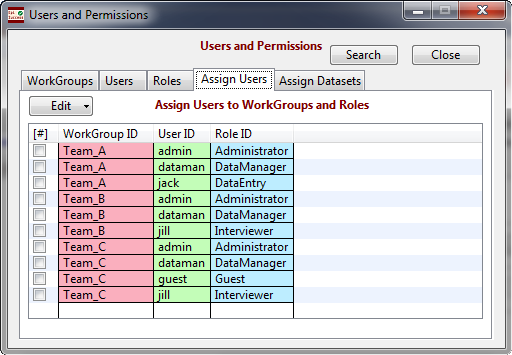
- Define Workgroups, Roles and Users
- Assign Users to Roles within Workgroups
- Assign Datasets to Workgroups
- Users must login to mobile devices and web browsers
- Users can only access datasets and perform actions for which they have permission
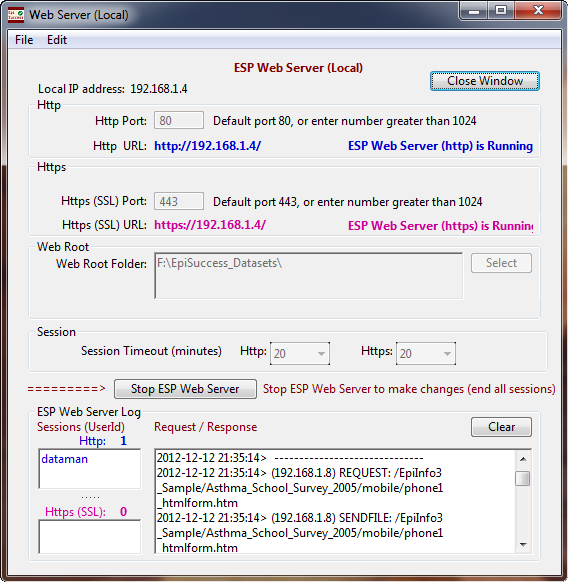
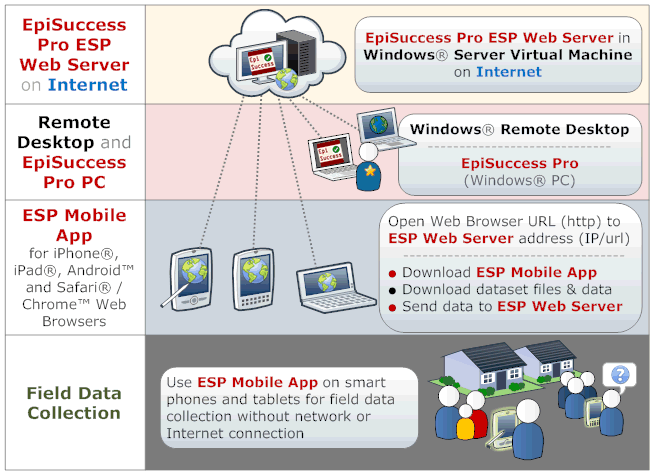
Built-in Custom ESP Web Server
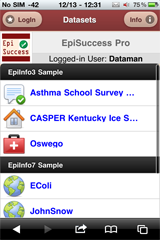
- Integrated ESP Mobile App for iPhone® / iPad® and Android™ smart phones / tablets
- Data entry on other computers on network (Safari® / Chrome™ web browsers)
- Data exchange with other PC’s running ESP2 software
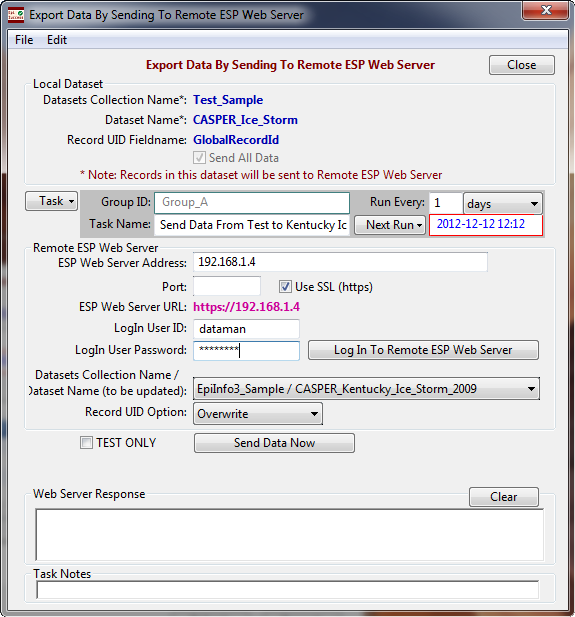
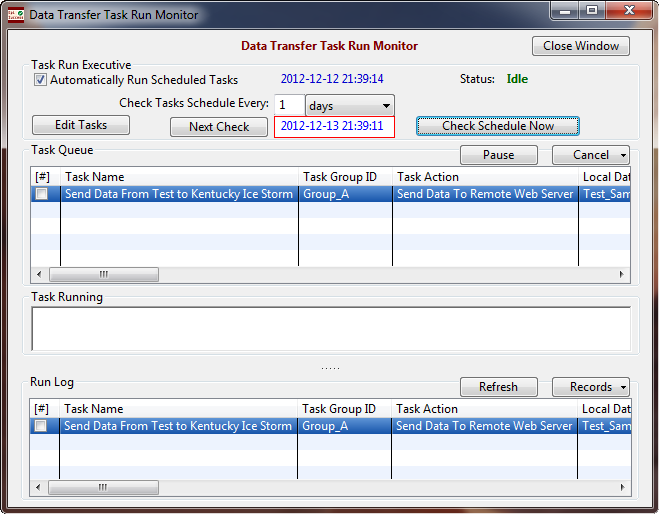
Automated Data Transfers and Surveillance
- Send data to, and receive data from other PCs running ESP2 software
- Schedule tasks for automated recurring data transfers
- Secure data transfer (https) over Internet
- Same Role-Based Access Control system as for mobile devices / browsers
ESP2 Mobile App
- Integrated with PC web server, datasets and User Permissions
- Collect data in field with smart phones and tablets ( iPhone / iPad and Android™ 2.1+ )
- Login to PC web server from mobile web browser
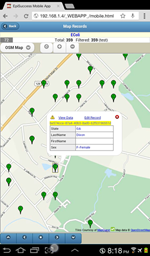
- Capture GPS coordinates from mobile device
- Search / sort data records – save search criteria
- Display record data on interactive maps
- Optional auto-save and idle timeout
Limitations of EpiSuccess Pro 2.1 Software
ESP2 Datasets
- Cannot create new Epi Info™ databases (mdb files)
- Does not support 1-to-many "Relate" or "Grid" tables
- Does not support Epi Info™ Check Code scripting
- No branching logic (skip questions), cascading menus
ESP2 Mobile App
- May not work on some older devices
- Only use wireless network (WI-FI) for data transfer (not USB cable or SD card)
- Not fully integrated with camera / microphone
Security and Privacy Recommendations
Device or Directory Encryption
- Instead of encrypting each individual database or file, encrypt entire device or directory, for example:
- PC: Windows® 7 Ultimate BitLocker®
- PC: TrueCrypt® encrypted directory
- Thumb drive: Encryption provided by vendor
- Mobile phones / tablets: Device encryption by vendor, such as Samsung On Device Encryption
Data Transfer: ESP Web Server <--> Mobile Devices
- Over WI-FI local wireless network
- Use WI-FI encryption (WEP/WPA/WPA2)
- Use http connection with ESP Web Server
- Over Internet (3G/4G/LTE)
- Use secure https (SSL) connection with ESP Web Server
- Valid SSL certificate for domain name where ESP Web Server is running
ESP Web Server <--> Web Browser (Safari® / Chrome™)
- Over WI-FI local wireless network
- Use WI-FI encryption (WEP/WPA/WPA2)
- Use http connection with ESP Web Server
- Over wired local area network (LAN)
- Use secure https (SSL) connection with ESP Web Server
- Over Internet (including 3G/4G/LTE)
- Use secure https (SSL) connection with ESP Web Server
- Valid SSL certificate for domain name where ESP Web Server is running
ESP PC (ESP Web Server) <--> ESP PC (as Client)
Use secure https (SSL) connection with ESP Web Server
- Over WI-FI local wireless network
- Over wired local area network (LAN)
- Over Internet (including 3G/4G/LTE)
Note: Can use self-signed SSL certificate and IP address for ESP Web Server
Benefits of Using EpiSuccess Pro 2 (ESP2) Software
Better, Faster, Easier and Cheaper
- Better quality data by reusing questions and built-in data validation
- Shorten time to create questionnaires, deploy surveys, transfer data and have data ready for analysis and reports
- Quick and easy management of datasets, questionset, user permissions, ESP Web Server and data transfer tasks
- Cost savings by reducing staff time and option to use a variety of newer or older smart phones, tablets and computers
For More Information
Please send email to:

|